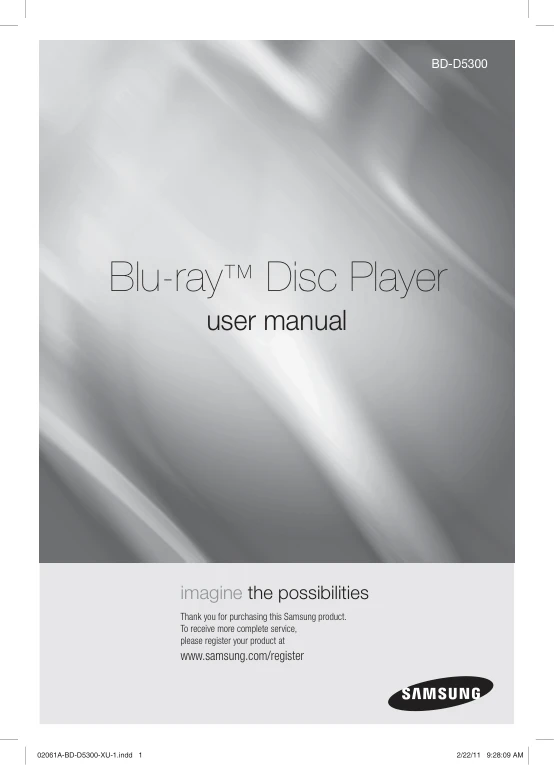
 A4 PRINTED COPY
A4 printed manual for Samsung BD-D5300
Your model’s PDF manual printed on A4 and delivered to your door. £9.99 printing charge.
£9.99Free UK delivery
 Manuals, remotes & replacement partsBasket0

Model reference photo. The unit itself is not included in the accessories below.
SAMSUNG · MODEL STORE
Download the UK English operating instructions for your Samsung BD-D5300, or order an A4 printed copy. Check the available accessories below.
Remote controls are manufactured to order: UK delivery approximately 3 weeks from ordering. Delivery details. 30-day returns; buyer pays change-of-mind return postage.
Free digital copy · email required
View manualEmail required. No payment. Limit: 10 manual downloads per internet connection per day, resetting at midnight UK time.JUST NEED ONE THING?
A4 PRINTED COPYYour model’s PDF manual printed on A4 and delivered to your door. £9.99 printing charge.
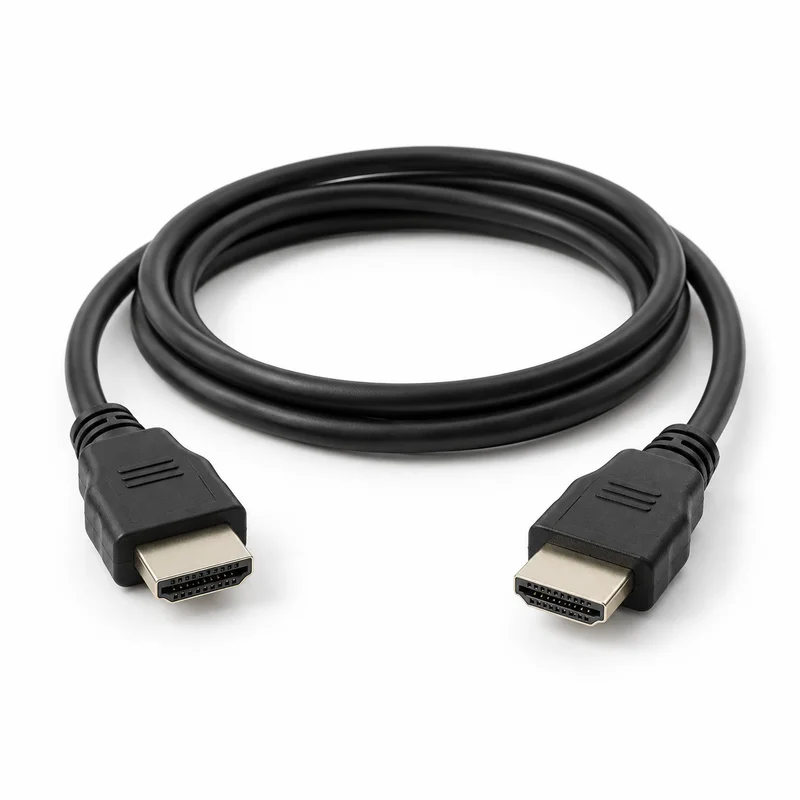 1.5 METRES
1.5m HDMI cable rated for 18 Gbps / 4K at 60 Hz. The official manual PDF page 18 shows the HDMI connection to a television.
The official manual PDF page 19 shows composite video and left/right analogue audio connections using yellow, white and red RCA plugs.
HDMI and RF cable images are AI-generated illustrations. Manual covers are taken from the corresponding PDF where shown. The £9.99 manual price is a printing and delivery charge; the digital PDF is free. Availability is checked at checkout.
THE UK EDITION
Find the UK English operating instructions for the Samsung BD-D5300 blu-ray player in document Samsung BD-D5300 user manual (AK68-02061A-00). This guide helps you locate the relevant sections before setting up your equipment or identifying a missing accessory.
Use the complete BD-D5300 model number and any regional suffix on your unit's label. Similar Samsung model numbers can use different instructions, connections and accessories.
Read the guide below without an email. The free PDF requires email submission; marketing consent is optional. An A4 printed copy is £9.99 with free UK delivery.
Manual source: Samsung official UK-listed support download. Official Samsung English manual listed for GB on the BD-D5300/EN support entry. The model, accessory checklist and cited setup sections were checked against the downloaded PDF. Match the full regional model suffix.
Get the BD-D5300 PDF manualCHECK BEFORE REPLACING
Samsung lists the following supplied items in the operating instructions. Quantities and references describe the original package; the shop’s replacement products are listed separately above.
| Supplied item | Qty | Original reference / details | PDF page |
|---|---|---|---|
| Original remote control | 1 | Part number not statedOriginal remote shown in the accessory checklist. A part number is not printed in this checklist. | 14 |
| Remote batteries (AAA) | 2 | Part number not statedSize and quantity checked against the accessory illustration and remote battery instructions. | 14 |
| User manual | 1 | Part number not statedListed or pictured in the original supplied-accessory checklist. | 14 |
| Quick setup guide | 1 | Part number not statedListed or pictured in the original supplied-accessory checklist. | 14 |
| Audio/video cable | 1 | Part number not statedOriginal supplied AV lead. Composite video and left/right audio connections. | 14 |
Check the illustrated original accessories, remote control and battery requirements before buying replacements. Samsung BD-D5300 user manual (AK68-02061A-00) · PDF page 14
A shared manual may list different accessories for individual models or regions. Only the items described in the shop listing are included with an order.
View assigned replacement itemsOriginal accessories below describe the factory checklist; an order includes only the items stated in its shop listing.
Network and app instructions describe the original software; current availability of third-party services may differ.
The original remote takes two AAA batteries; the shop AA battery add-on is not suitable.
GET CONNECTED
Start with the sections below in Samsung BD-D5300 user manual (AK68-02061A-00). Read the complete procedure and follow any model or regional notes.
Connect HDMI OUT to a compatible television input and select that input. Follow the model-specific audio connection diagram.
Samsung BD-D5300 user manual (AK68-02061A-00) · PDF page 18Follow the on-screen setup and settings menus for the television connection, display and audio options.
Samsung BD-D5300 user manual (AK68-02061A-00) · PDF page 24USING YOUR EQUIPMENT
Load a supported disc and follow the playback controls and disc-menu instructions.
Samsung BD-D5300 user manual (AK68-02061A-00) · PDF page 40Check the manual’s symptom-and-solution table for remote-control, disc, picture, sound and connection problems before arranging service.
Samsung BD-D5300 user manual (AK68-02061A-00) · PDF page 59MODEL-SPECIFIC HELP
Yes. This listing provides the UK English operating instructions (Samsung BD-D5300 user manual (AK68-02061A-00)), with 69 PDF pages. Match the regional suffix on your unit and use the sections labelled for BD-D5300 in a shared manual.
The digital manual is free after email submission. Marketing consent is optional. An A4 printed copy costs £9.99 with free UK delivery; this charge is for printing and delivery.
Check the original remote reference for the exact BD-D5300 model and regional edition. Replacement compatibility has not yet been confirmed on this listing, so a similar-looking remote should not be assumed to work.
Check the manual’s symptom-and-solution table for remote-control, disc, picture, sound and connection problems before arranging service.
Samsung BD-D5300 user manual (AK68-02061A-00) · PDF page 59Use instructions that explicitly cover BD-D5300 and its regional edition. Shared manuals can be suitable when they name your model, but another model's remote references, sockets or setup menus may differ.
Choose the model printed on your equipment. These links do not establish accessory compatibility or make one model’s manual suitable for another.
Source: Samsung BD-D5300 user manual (AK68-02061A-00) UK English operating instructions. PDF page references include the cover. Source checked 2026-10-04. This guide describes the documentation and does not represent testing of an individual unit.
Original accessories below describe the factory checklist; an order includes only the items stated in its shop listing.
Network and app instructions describe the original software; current availability of third-party services may differ.
The original remote takes two AAA batteries; the shop AA battery add-on is not suitable.
Manuals & Remotes is a trading name of Continue Technology Limited, an independent replacement-parts retailer. Company number 11477387.
Registered office: 21 Skelton Industrial Estate, Skelton-in-Cleveland, Saltburn-by-the-Sea, TS12 2LQ.
Business information and supportRemotes are manufactured to order: allow approximately 3 weeks to UK delivery. Cables and TV stands: approximately 1 week. These estimates include processing and postage.
Delivery charges and detailsRequest a return within 30 days of delivery. You pay change-of-mind return postage; we cover faulty, damaged or incorrect items. No restocking fee.
Return instructions and refund timesEmail the full model number and product link before ordering if you need help checking compatibility. Brand names identify compatible equipment and do not imply manufacturer endorsement.
jack@manualsandremotes.comAdvertised 5-year seller warranties are provided by Continue Technology Limited.
Seller warranty information